Mobile App Testing in Lebanon and the GCC: Types, Process, and a Pre-Launch QA Checklist
 23 Oct
Mobile App Testing in Lebanon and the GCC: Types, Process, and a Pre-Launch QA Checklist
An app that works on the developer’s phone can still crash on a mid-range Android, break its layout in Arabic, or freeze on a weak mobile connection. Mobile app testing is the work that finds those problems before your customers in Lebanon and the Gulf do, and it should run through the whole build, not just launch week.
This guide covers the main types of testing, a practical QA process, and what to check before submitting to the stores in 2026. For usability research with real people, see our separate guide to user testing in mobile app development.
Mobile App Testing vs. User Testing
User testing asks whether people understand the app and can complete tasks. Quality assurance (QA) testing asks whether the app does what the specification says, on every supported device and under real conditions, without crashing, leaking data, or slowing down. A serious project needs both.
Types of Mobile App Testing
Most apps need a mix of the following:
- Functional testing: every feature behaves as specified, including error states such as a wrong password or an empty cart.
- Regression testing: features that worked before still work after each change.
- Compatibility testing: screen sizes, OS versions, and manufacturers, including older phones.
- Performance testing: launch time, smooth scrolling, memory and battery use.
- Network testing: slow, unstable, or lost connections.
- Security testing: how the app stores data, authenticates users, and talks to your servers.
- Accessibility testing: screen readers, large text, contrast, and touch targets.
- Localization testing: Arabic and English text, right-to-left (RTL) layouts, dates, numbers, and currencies.
- Install and upgrade testing: a fresh install, plus an update from the previous version with existing user data.
- Integration testing: payments, maps, push notifications, one-time passwords, and your ERP, CRM, or backend.
Automated Tests: Build the Pyramid
Android’s official testing guidance describes a testing pyramid: many small, fast tests at the base that check individual pieces of logic, fewer medium tests that check how components work together, and a small number of big end-to-end tests that drive the real interface. Big tests find more issues per run but are slower and harder to maintain.
In practice, unit tests cover business rules such as pricing and validation, integration tests cover the API layer and local database, and a short set of UI tests covers critical journeys such as sign-up, login, and checkout. Running them on every build through continuous integration (CI) catches regressions early. Manual exploratory testing still catches what scripts miss.
Devices: Real Phones, Emulators, and Cloud Labs
Emulators and simulators are fast and suit daily development, but they do not fully reproduce cameras, biometrics, push notifications, or battery behavior, so every release should also be checked on physical devices. A sensible matrix covers the phones your audience uses: a recent iPhone, an older supported iPhone, a popular mid-range Android, a low-memory Android, and a tablet if you support them.
Cloud device labs extend that coverage. Note that Google has deprecated Firebase Test Lab, which runs tests on real devices in Google data centers, and will shut it down on 30 September 2027 in favor of its Developer Device Platform on Google Cloud.
Testing for Lebanon and GCC Users
Apps built for this region have a few checks that generic test plans often skip:
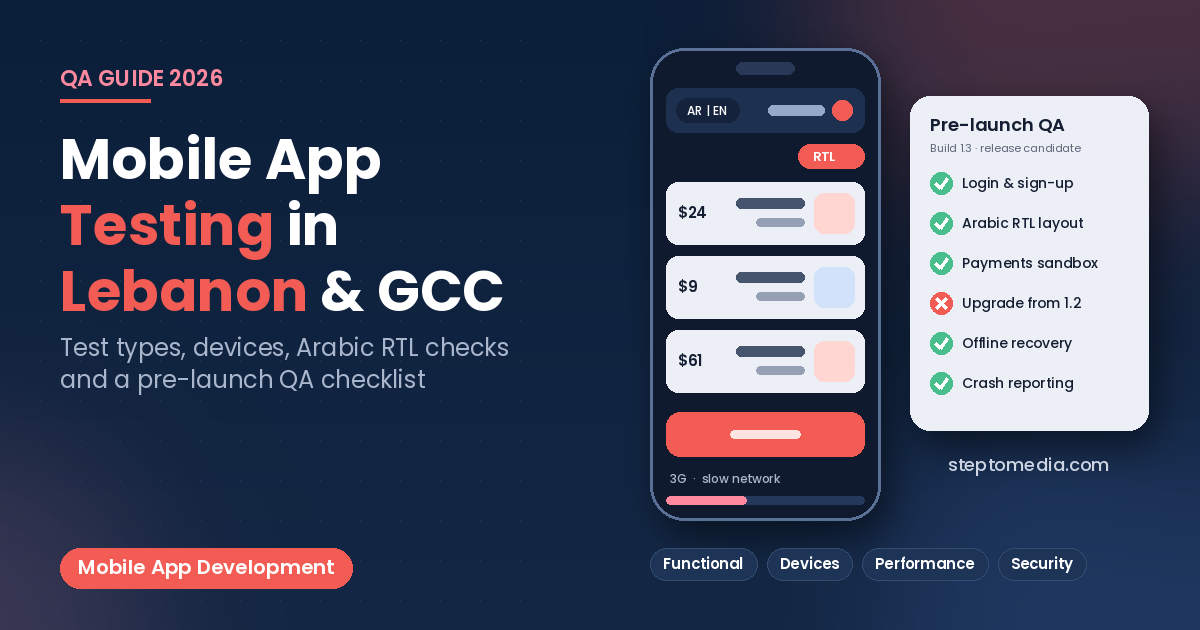
- Arabic and RTL layouts: Android provides an AR (XB) pseudolocale that flips the interface to right-to-left, and Xcode offers a Right-to-Left Pseudolanguage, so teams can catch mirroring problems before translations are ready. Then test with real Arabic and mixed-language text.
- Numbers and currencies: prices, phone numbers, and dates should use the platform’s formatters and be tested in both languages and every currency you sell in.
- Weak connections: the Android emulator can simulate slower network types, so check loading states, retries, and that an order is never submitted twice.
- Payments and OTPs: test each gateway in sandbox mode with successful, declined, and cancelled payments, and confirm codes arrive on Lebanese and Gulf numbers.
For the design side, see mobile app UX for Lebanon and GCC businesses.
Performance and Stability Targets
Google Play publishes Android vitals “bad behavior” thresholds and says apps should stay under them to maximize their visibility on Google Play. As of October 2026, these are a user-perceived crash rate of 1.09% overall and 8% on any single phone model, and a user-perceived ANR (App Not Responding) rate of 0.47% overall and 8% per phone model. Set up crash reporting before beta so every crash comes with device details.
Security Testing Basics
The OWASP Mobile Application Security Verification Standard (MASVS) is a widely used reference for what to verify. Its control groups cover storage, cryptography, authentication, network, platform, code, resilience, and privacy. At minimum, check that personal data is not stored in plain text, all traffic uses HTTPS, and the server enforces permissions.
Beta Testing on TestFlight and Google Play
Both stores have official beta channels. On iOS, TestFlight lets you add up to 100 internal testers from your team and invite up to 10,000 external testers; the first build for external testers must be approved by App Review. On Google Play, an internal test reaches up to 100 testers within minutes, closed tests target lists or Google Groups, and open tests are visible on the store. Play Console also generates pre-launch reports that install each uploaded build on test devices and crawl it for stability, performance, and accessibility issues.
New personal Google Play developer accounts also have a closed testing requirement before production access. We cover that rule and the rest of the submission process in our guide to publishing on the App Store and Google Play from Lebanon.
The Mobile App Testing Process, Step by Step
- Write testable requirements with acceptance criteria.
- Agree on the device matrix and supported languages.
- Automate unit and integration tests from the first sprint and run them in CI.
- Test each feature on real devices in Arabic and English.
- Run a regression pass before each release candidate.
- Beta test on TestFlight and a Play testing track.
- Fix, retest, and release in stages, then monitor crashes as part of ongoing app maintenance.
Pre-Launch QA Checklist
- Sign-up, login, logout, password reset, and account deletion work end to end.
- Critical journeys pass on every device in the matrix, in both languages.
- RTL screens are mirrored correctly, with no clipped or overlapping text.
- Payments succeed, fail, and cancel cleanly, with no duplicate charges.
- The app recovers from lost connections and shows clear error messages.
- Push notifications arrive and open the right screen.
- Updating from the previous version keeps users signed in and their data intact.
- Crash reporting is active and no test keys remain.
How Step To Media Can Help
Step To Media builds mobile apps, websites, and custom software from Mkalles for businesses in Lebanon and the Gulf, with testing built into development. Explore our mobile app development, custom software development, and website development services. You can also learn more about us as a software and web development company in Lebanon, or see how we work as a software development agency in Lebanon. Planning an app or a release? contact us with your platforms and target markets.
Frequently Asked Questions
What is the difference between mobile app testing and user testing?
QA testing checks that the app works correctly on every supported device and condition. User testing checks whether real people understand it and can complete tasks. You need both.
Can emulators replace real devices?
No. Emulators are good for daily development, but cameras, biometrics, notifications, battery, and real performance should be checked on physical phones before every release.
How do I test Arabic and right-to-left layouts?
Start with Android’s AR (XB) pseudolocale and Xcode’s Right-to-Left Pseudolanguage to catch mirroring issues, then test with real Arabic text and mixed Arabic and English content.
What crash rate is acceptable on Google Play?
Google Play’s Android vitals bad behavior thresholds are a 1.09% user-perceived crash rate overall and 0.47% for ANRs, with 8% per phone model for each.
How many beta testers can I invite?
TestFlight allows up to 100 internal and 10,000 external testers. Google Play’s internal track allows up to 100 testers, while closed and open tests can reach larger groups.
Should testing be automated?
Partly. Automate unit, integration, and critical journey tests on every build, and keep manual testing for usability and visual issues.
No next post available