Pharmacy App Development in Lebanon and the GCC: Online Ordering, Prescriptions and Delivery (2026)
Pharmacy App Development in Lebanon and the GCC: Online Ordering, Prescriptions and Delivery (2026)
 23 Nov
Pharmacy App Development in Lebanon and the GCC: Online Ordering, Prescriptions and Delivery (2026)
A pharmacy that takes orders by phone and WhatsApp can only grow so far. Customers want to search for products, upload a prescription photo, pay or choose cash on delivery, and track the driver, all from their phone. Pharmacy app development turns that into one system that customers, pharmacists and drivers can share. This 2026 guide covers the features that matter, how prescriptions and compliance shape the build, and what to plan for in Lebanon, Saudi Arabia, the UAE and the rest of the GCC.
Step To Media is a software development agency in Lebanon, based in Mkalles. We build websites, mobile apps and custom software for businesses in Lebanon and the Gulf. Below is the planning checklist we would use with a single pharmacy, a pharmacy chain or a health e-commerce startup.
Who Needs a Pharmacy App?
A pharmacy app is not only for large chains. The same core system can be scaled to fit:
- Independent pharmacies that want a branded ordering channel instead of relying on phone calls and chat messages.
- Pharmacy chains that need one catalog, shared customer accounts and orders routed to the nearest branch.
- Health and beauty retailers that sell over-the-counter products, vitamins, skincare and baby care alongside pharmacy services.
- Clinics and healthcare groups that want prescriptions, refills and patient records to connect with their own pharmacy.
Core Features of a Pharmacy App
Customer app (iOS, Android and web)
- Product search by brand, active ingredient and category, with clear photos and descriptions in Arabic and English.
- Prescription upload by photo or PDF, linked to the order for the pharmacist to review.
- Cart, checkout, saved addresses and order history.
- Refill reminders and one-tap reorder for regular purchases.
- Live order status and delivery tracking, plus push notifications.
- In-app chat or a WhatsApp handoff for questions to the pharmacist.
Pharmacist and branch dashboard
- A queue of incoming orders, with prescription orders flagged for review before they can be confirmed.
- Approve, reject or substitute items, and message the customer about alternatives.
- Stock levels per branch, with low-stock alerts.
- Order routing to the right branch based on stock and delivery zone.
Admin panel
- Catalog management, pricing, promotions and delivery zones.
- Roles and permissions for owners, pharmacists, cashiers and drivers.
- Reports on orders, top products, refills and delivery times.
Driver app
Drivers need assigned orders, navigation, proof of delivery and cash collection records. The patterns are the same as any delivery business, which we cover in our guide to on-demand delivery app development.
Prescriptions: The Workflow That Shapes Everything
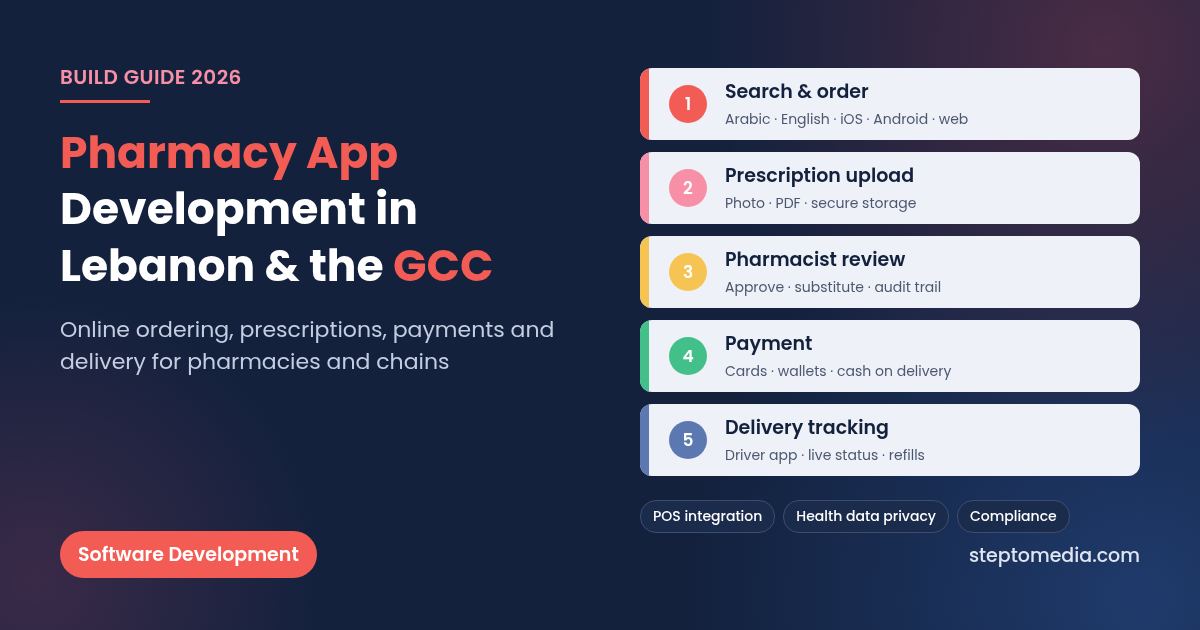
The biggest difference between a pharmacy app and a normal online store is that some products cannot be sold without a valid prescription and a pharmacist’s check. Design this workflow first:
- Classify products as over-the-counter or prescription-only, and block direct checkout for prescription items.
- Capture the prescription with a clear photo or file upload, and store it securely against the order.
- Pharmacist review confirms the prescription, the product and the quantity before payment is captured or the order is released.
- Record the decision with who approved it and when, so there is an audit trail.
- Verify at delivery where the pharmacy requires the original paper prescription to be collected.
Rules on which medicines can be sold and delivered online differ by country and change over time. In Lebanon, pharmacy practice falls under the Ministry of Public Health. In Saudi Arabia, medicines are regulated by the Saudi Food and Drug Authority (SFDA), and in the UAE, health authorities such as MOHAP, the Dubai Health Authority and the Department of Health in Abu Dhabi license pharmacies. Confirm the current licensing and e-prescription requirements with the relevant authority and your legal advisor before launch. The app should be built so these rules can be configured per country rather than hard-coded.
Privacy and Security for Health Data
Prescriptions reveal medical conditions, so treat them as sensitive data from day one:
- Encrypt data in transit and at rest, including uploaded prescription images.
- Give each staff role only the access it needs, and log who viewed or changed each prescription.
- Set a retention policy for prescription files and delete what you no longer need.
- Check data protection laws in each market, such as Saudi Arabia’s Personal Data Protection Law and the UAE’s federal data protection law, and choose a hosting region that fits them.
Our guide to secure app development in Lebanon and the GCC goes deeper on authentication, encryption and security testing.
Payments, Cash on Delivery and Delivery Zones
Cash on delivery is still common in Lebanon and parts of the Gulf, so most pharmacy apps support cards, wallets and COD together. Because prescription orders can change after review, many pharmacies authorize the card at checkout and capture the final amount only after the pharmacist confirms. See our guide to payment gateways in Lebanon for the options and their requirements. Delivery zones, fees and time slots should be editable from the admin panel, not fixed in the code.
Integrations With Your Pharmacy System
Most pharmacies already run a point-of-sale or pharmacy management system. The app should read product data, prices and stock from it, and send confirmed orders back, so staff do not maintain two catalogs. Common integrations include:
- POS, ERP or pharmacy management software for stock and pricing.
- Payment gateways and wallets.
- SMS, email and WhatsApp notifications.
- Maps and routing for delivery.
- Insurance or clinic systems where that is part of the service.
We explain how these connections work in our article on API integration for payments, ERP and WhatsApp.
Arabic, English and App Store Review
Medicine names, dosage instructions and order updates must be clear in both languages, with a proper right-to-left layout for Arabic. Plan bilingual product data early, because translating a catalog of thousands of items later is slow. Apple and Google both have review rules for apps that sell medicines, so expect store review to look at what you sell and to ask about your licensing. Our guide to publishing on the App Store and Google Play explains the accounts and review steps.
App, Website or Both?
Many customers order once from a search result and only install an app after they become regulars. A fast, mobile-friendly ordering website captures search traffic and first orders, while a native app adds refill reminders and push notifications for repeat customers. A shared back end lets you run both from one catalog and one order system. For the web side, see our website development services; for the app side, our mobile app development services.
What Affects the Cost and Timeline
We do not publish fixed prices, because pharmacy projects vary a lot. The main factors are:
- Number of apps (customer, pharmacist, driver, admin) and platforms (iOS, Android, web).
- Prescription workflow and compliance requirements per country.
- Integration with your existing POS or pharmacy software.
- Catalog size and bilingual content.
- Number of branches, delivery zones and payment methods.
A sensible approach is to launch an MVP with ordering, prescription upload, pharmacist review and delivery, then add loyalty, refills and insurance later. For public market ranges and how budgets are built, read our guide to custom software development cost in Lebanon.
Working With a Development Partner in Lebanon
A pharmacy app is a mix of e-commerce, healthcare workflow and logistics, so it often needs custom software development rather than an off-the-shelf store theme. Step To Media is a software and web development company in Lebanon serving clients in Lebanon and the GCC. If you are planning a pharmacy app, contact us to talk through your workflow and scope.
Frequently Asked Questions
What features does a pharmacy app need?
At minimum: product search, cart and checkout, prescription upload, a pharmacist review queue, order tracking, delivery management and an admin panel for catalog, pricing and stock. Refill reminders, loyalty and chat are common next steps.
Can a pharmacy app sell prescription medicines?
Only where local rules allow it, and usually only after a licensed pharmacist reviews a valid prescription. Rules differ between Lebanon, Saudi Arabia, the UAE and other GCC countries, so confirm the current requirements with the relevant health authority before launch.
Should a pharmacy start with a website or a mobile app?
Many start with a mobile-friendly ordering website to capture search traffic and first orders, then add iOS and Android apps for repeat customers. A shared back end lets both run from one catalog and order system.
Can the app connect to our existing pharmacy POS system?
Usually yes, if the POS or pharmacy software offers an API, a database export or a supported integration. The developer should review your current system early, because integration often shapes the scope.
How do you protect customers’ prescription data?
Encrypt data in transit and at rest, limit staff access by role, log who views each prescription, set a retention policy, and host the data in a region that fits the data protection laws of your market.
No next post available