Field Sales App Development in Lebanon and the GCC: Van Sales, Offline Orders, and ERP Sync
 28 Oct
Field Sales App Development in Lebanon and the GCC: Van Sales, Offline Orders, and ERP Sync
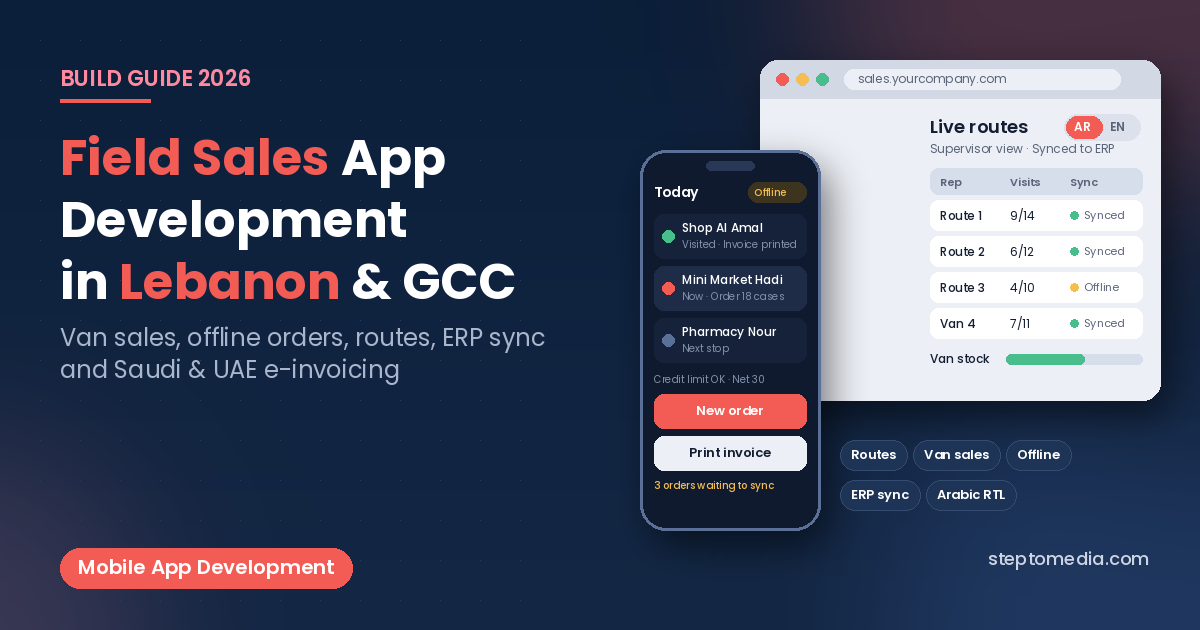
Distributors and FMCG suppliers in Lebanon and the Gulf rely on sales reps and van salesmen who visit shops, supermarkets, pharmacies, and restaurants every day. Many still write orders on paper or send them by WhatsApp. Field sales app development means building a mobile app that lets those reps see their route, check customer prices and balances, take orders or sell directly from the van, print or share invoices, and collect payments, even when the signal drops, with everything syncing back to your ERP.
This guide covers the main types of field sales apps, key features, offline mode and ERP sync, e-invoicing rules in Saudi Arabia and the UAE, and a practical build plan for 2026.
Pre-Sales, Van Sales, and Merchandising: Which Do You Need?
Field sales apps usually follow one of three models:
- Pre-sales (order taking): the rep visits the customer, takes an order on a phone or tablet, and the warehouse delivers it later.
- Van sales (direct store delivery): the salesman carries stock in the van and sells on the spot. The app tracks van stock, invoices, and collections.
- Merchandising: staff check shelves and photograph displays; the focus is visit reports rather than invoices.
A field sales app is for your own team on the road. If your trade customers should also order by themselves, a self-service portal is the companion piece; our guide to B2B portal development covers that side, and the two can share the same catalog, prices, and ERP connection.
Core Features of a Field Sales App
- Daily route and visit plan: the list of customers to visit today, check-in and check-out per visit, and notes for unplanned stops.
- Customer account view: price list, discounts, credit limit, open invoices, and last orders before the rep walks in.
- Fast order entry: search by product code or barcode, suggested quantities from previous orders, promotions, and free goods rules.
- Van stock management: loading at the warehouse, stock on board, sales and returns during the day, and end-of-day reconciliation.
- Invoicing and printing: invoices, receipts, and credit notes printed on a portable Bluetooth printer or shared as a PDF.
- Collections: cash, cheques, and payments against open invoices, with a daily cash summary for the supervisor.
- Supervisor dashboard: visits, orders, and collections per rep.
Version one usually needs routes, orders, and sync; dashboards can follow.
Offline Mode: Design for Weak Signal
Reps often work where mobile data is unreliable, so build the app offline-first: the day’s customers, prices, and stock are downloaded to the device in the morning, orders and invoices are saved locally, and changes sync automatically when the connection returns.
Answer the hard questions before development: how invoice numbers are reserved per device so they never clash, and how stock conflicts are resolved. This is one reason a native or cross-platform mobile app usually fits better than a web page here; our comparison of web application vs mobile app explains when mobile comes first, and our guide to Flutter vs React Native covers the main cross-platform options.
Field Sales App Development and ERP Integration
Products, prices, customers, balances, and invoices normally live in your ERP or accounting system, so the app should read from it and send orders, invoices, and collections back. Decide which system owns each piece of data and what happens when a sync fails.
Many ERPs include their own mobile sales modules, and they can be enough for simple order taking. A custom app makes more sense when your van sales process, promotions, or printing needs do not fit the standard module. Our comparison of ERP vs custom software explains this “ERP core, custom edges” approach, and our guide to API integration in Lebanon covers connecting ERP, payments, and messaging. To send order confirmations or statements to customers by WhatsApp, see WhatsApp ERP integration.
E-Invoicing for Van Sales in Saudi Arabia and the UAE
If your reps issue invoices in the Gulf, e-invoicing shapes how the app works offline:
- Saudi Arabia: under the Zakat, Tax and Customs Authority (ZATCA) Integration Phase, standard tax invoices (usually business to business) must be cleared by ZATCA’s Fatoora platform before they are shared with the buyer. Simplified tax invoices (usually to consumers) carry a QR code and must be reported to ZATCA within 24 hours of being generated. Integration is rolled out in waves; the 25th wave, announced in July 2026, must integrate by 1 February 2027.
- UAE: the Ministry of Finance’s e-invoicing system covers business-to-business and business-to-government transactions. Businesses with annual revenue of AED 50 million or more must implement it by 1 January 2027, and smaller businesses by 1 July 2027, through an Accredited Service Provider.
Often your ERP or e-invoicing provider generates the invoice, and the app must handle cases where clearance needs a connection. Check current rules with each authority before launch.
Arabic, Devices, and Printing
Many reps and shop owners in the region prefer Arabic, so plan a right-to-left layout, Arabic product names, and bilingual printed invoices; our guide to bilingual Arabic and English websites covers RTL basics that also apply to apps. Choose devices and Bluetooth printers early, since they affect receipt layout. Test on the real devices and printers your reps will carry, as our guide to mobile app testing recommends.
Security, Location, and Data Protection
Protect logins, encrypt local data, allow remote sign-out, and limit each rep to their own customers. If the app records GPS location at check-in, tell staff what is collected and why, and collect only during working visits. Lebanon’s Law No. 81 of 2018 on electronic transactions and personal data, Saudi Arabia’s Personal Data Protection Law, and the UAE’s Federal Decree-Law No. 45 of 2021 set rules on consent, purpose, and security for personal data. This is general information, not legal advice.
A Practical Build Plan
- Ride along with reps: document how they plan routes, take orders, invoice, and collect today.
- Define the source of truth: which data comes from the ERP, and how orders, invoices, and payments flow back.
- Choose the model: pre-sales, van sales, or both, and whether an ERP mobile module is enough.
- Pilot with one route or one team including printing and end-of-day reconciliation.
- Roll out in phases, adding collections, merchandising, and dashboards later.
What Affects the Cost and Timeline
We don’t quote fixed prices without a scope. The main factors are pre-sales only or full van sales, offline depth, ERP integration, printing, e-invoicing requirements, languages, and the supervisor dashboard. For general budgeting, see our guide to custom software development cost in Lebanon.
How Step To Media Can Help
Step To Media builds websites, mobile apps, and custom software from Mkalles for businesses in Lebanon and the Gulf. Explore our mobile app development, custom software development, and website development services. You can also learn more about us as a software and web development company in Lebanon, or see how we work as a software development agency in Lebanon. Planning a field sales or van sales app? Contact us with how your reps work today and the ERP or accounting system you use.
Frequently Asked Questions
What is a field sales app?
A field sales app is a mobile app for sales reps and van salesmen that shows their route, customer prices and balances, and lets them take orders, issue invoices, collect payments, and sync everything with the company’s ERP.
What is the difference between pre-sales and van sales?
In pre-sales, the rep takes an order and the warehouse delivers it later. In van sales, the salesman carries stock, sells on the spot, prints an invoice, and collects payment during the visit.
Can a field sales app work offline?
Yes, if it is built offline-first. Customers, prices, and stock are stored on the device, orders and invoices are saved locally, and data syncs with the ERP when the connection returns.
Do we need a custom app or can we use our ERP’s mobile module?
An ERP mobile module can be enough for simple order taking. A custom app makes more sense for van sales with printing, complex promotions, offline-heavy routes, or connections to several systems.
Does a van sales app need to support e-invoicing in Saudi Arabia?
If it issues invoices in Saudi Arabia, yes. Under ZATCA’s Integration Phase, standard tax invoices must be cleared before sharing with the buyer, and simplified tax invoices must be reported within 24 hours, so offline invoicing needs careful planning.
No next post available